
S2K Commerce - Shopping Cart
Actions
S2K Commerce - Products Dropdown
Actions
Web Content Viewer
Actions
Power Up Your Security: Choosing the Right Cable for Video Surveillance, Access Control, and Fire Systems
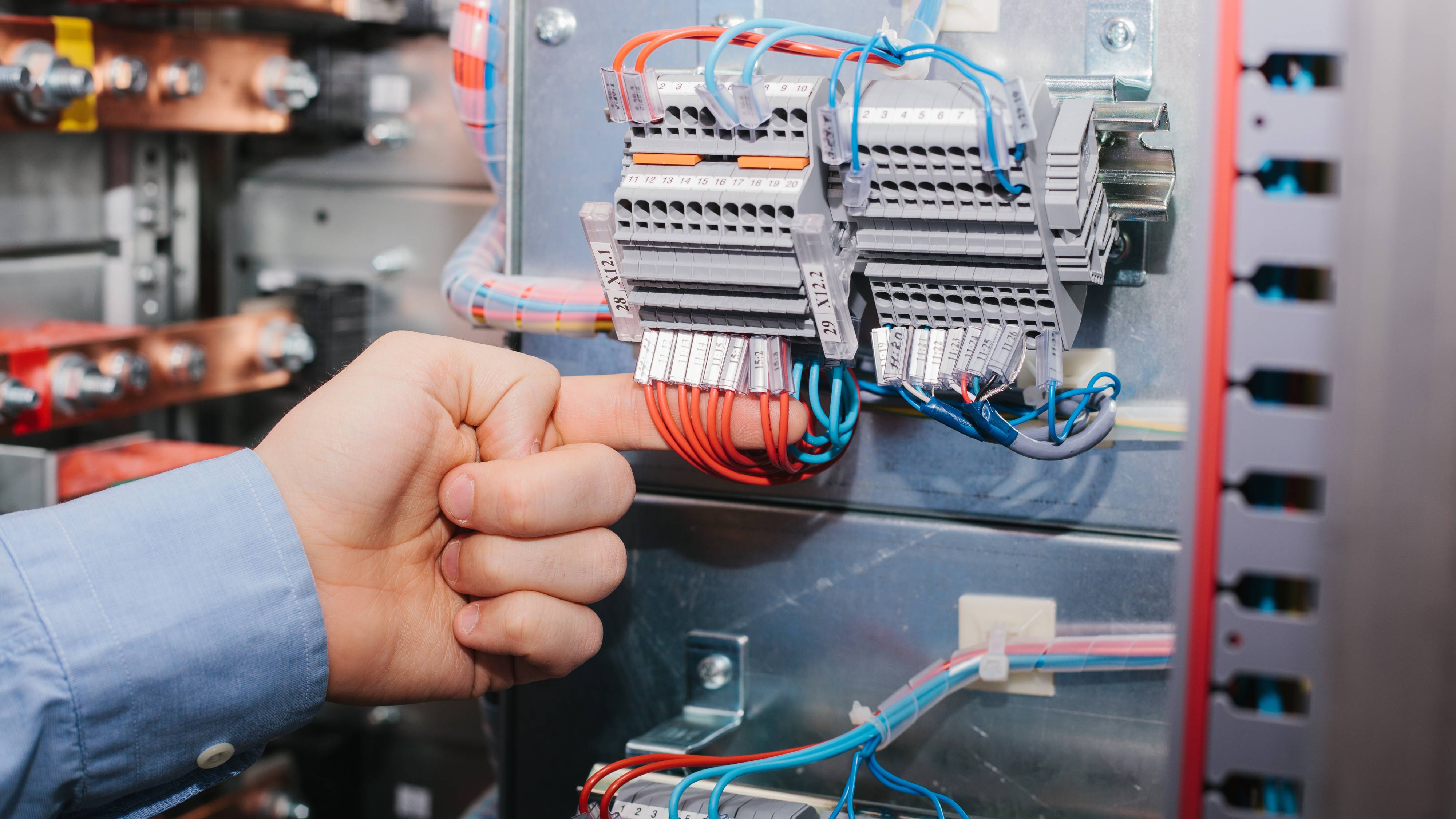
When it comes to securing your clients property, the effectiveness of your CCTV / video surveillance, access control, and fire systems hinges significantly on the quality of the cables you choose. At Systems Distributors Inc. (SDI), we recognize the critical role that proper cabling plays in ensuring reliable performance and optimal security. We’ll delve deeply into the various types of cables available, their specific applications, maximum lengths, tools needed for installation, best practices, wire gauge considerations and tips for proper termination—all essential for creating a robust security infrastructure.
Pro-Tip: Although this post is not all inclusive of everything one needs to know about choosing and installing the proper cable, it provides good basic information that a new technician or installer should know. Consider using this post for that purpose.
Types of Cables
1. Category Cable (Cat 5, Cat 6, and Higher)
Applications:
Category cables, particularly Cat 5e, Cat 6, and higher, are predominantly used for IP-based surveillance systems and access control solutions. These cables transmit data efficiently and are essential for supporting high-definition video streams.
Cat 5e:
This cable supports distances of up to 100 meters (328 feet) and can handle data rates up to 1 Gbps. It’s a cost-effective solution suitable for many basic surveillance needs.
Cat 6:
Capable of supporting distances up to 100 meters while accommodating speeds of 10 Gbps over shorter distances (up to 55 meters), Cat 6 is ideal for high-resolution cameras and advanced security setups.
Cat 6a:
This enhanced version supports 10 Gbps speeds over the entire 100 meters, making it perfect for high— definition video transmission and complex systems requiring rapid data transfer.
Best Practices:
Always use shielded cables in environments where electromagnetic interference (EMI) is a concern. Proper termination techniques are vital to prevent crosstalk and ensure signal integrity, so invest time in learning how to terminate your cables correctly.
2. Low Voltage Cable
Applications:
Low voltage cables are essential for powering devices such as security cameras, access control systems, and fire alarms. They allow for efficient energy transfer while minimizing the risk of electrical hazards.
Types:
Common low voltage cables include 18 AWG for power supply and 22 AWG for signal transmission. Each type serves different needs based on the device's power requirements.
Maximum Length:
Typically, low voltage cables can run up to 100 feet for power applications without significant voltage drop. However, the length may vary depending on the specific device and its power consumption.
Best Practices:
Always keep power and data cables separate to avoid interference. When installing, ensure the cable is rated for the specific application and consider using conduit for additional protection.
3. Coaxial Cable
Applications:
Although traditional, coaxial cables remain a viable option for many analog CCTV systems, as well as some digital applications. They provide a reliable connection for video transmission.
Types:
RG59 is commonly used for standard video signals, while RG6 is preferred for longer runs and improved signal quality.
Maximum Length:
For RG59, the maximum length is about 300 feet before significant signal degradation occurs. RG6 can reach up to 500 feet, making it suitable for larger properties.
Best Practices:
Use high-quality coaxial cables with proper shielding to minimize interference and ensure clear video transmission. Ensure that connectors are securely fitted to prevent any signal loss.
Tools Needed for Installation
The right tools can make all the difference in a successful installation. Here’s a list of essential tools you’ll need:
Cable Cutters:
For clean cuts on various cable types, ensuring no frayed ends.
Wire Strippers:
To strip insulation without damaging the wire inside.
Crimping Tools:
Necessary for terminating Cat cables and coaxial connectors effectively.
Punch Down Tool:
For terminating wires into patch panels or keystone jacks, ensuring a solid connection.
Cable Tester:
Essential for checking connectivity and testing for faults, ensuring that your installation is robust and trouble— free.
Maximum Cable Length Considerations
Understanding the maximum lengths for different cable types is crucial for maintaining optimal performance:
Cat 5e/Cat 6:
Maximum length of 100 meters (328 feet) ensures reliable data transmission.
Low Voltage Cable:
Generally, up to 100 feet for power supply applications, but this can vary based on the device's power needs.
Coaxial Cable:
RG59 up to 300 feet; RG6 up to 500 feet ensures quality video transmission.
Wire Gauge Considerations
Choosing the right wire gauge is essential for both power and data transmission:
Power Supply:
Typically, 18 AWG is used for most low voltage applications. If the distance exceeds 100 feet, consider upgrading to a 16 AWG to mitigate any voltage drop.
Data Transmission:
Use the appropriate gauge as specified for your category cables, typically 24 AWG for Cat 5e and Cat 6 installations.
Tips for Proper Termination of Cables
Proper termination is crucial for ensuring reliable connections and preventing signal loss. Here are some tips for terminating various cable types:
Follow Standards:
Adhere to TIA/EIA standards when terminating Cat cables, using either T568A or T568B wiring schemes. Consistency is key.
Strip the Right Length:
Strip just enough insulation to expose the wires without risking damage to the internal conductors. Typically, 1 inch is sufficient.
Maintain Twisted Pairs:
Keep the twisted pairs twisted as close to the termination point as possible. This minimizes crosstalk and maintains the cable’s performance.
Use Quality Connectors:
Always choose high-quality connectors that match your cable type. Poor connectors can lead to increased resistance and signal loss.
Check the Length:
After termination, ensure that the total length of each wire from the cable jacket to the connector does not exceed the recommended lengths to avoid performance issues.
Test Connections:
Utilize a cable tester after termination to verify that each connection is secure and functioning correctly. This step can save time and frustration later.
Utilize a cable tester after termination to verify that each connection is secure and functioning correctly. This step can save time and frustration later.
Selecting the Right Cable is a Critical Factor
Selecting the right cable for CCTV, video surveillance, access control, and fire systems is not merely a technical decision; it’s a critical factor in ensuring the safety and security of your property. By understanding the various cable types, their applications, maximum lengths, and best practices, you can make informed choices that will enhance the performance and reliability of your security systems.
At SDI, www.sdilink.com, we are dedicated to providing you with top-quality products and expert guidance to ensure your installations are successful. If you have questions or wish to explore our extensive range of cables and installation tools, don ’t hesitate to contact us today! Safeguard your investments with the right cable solutions, and power up your clients security systems for optimal performance!
SDI